Digitize Your Recipe Book: AI Import from Excel, CSV and Notes
Move years of recipes out of spreadsheets and notebooks in one pass — AI extraction structures them, semantic matching resolves every ingredient, and your whole library gains computed water activity, shelf life, and nutrition.

The Real Barrier Is Migration, Not Software
Every pastry chef already owns recipe software’s real competitor: a battle-worn Excel costing sheet, a notes app full of half-structured formulas, a binder from three kitchens ago. The recipe manager you evaluated last year lost not because it was worse than the spreadsheet — but because retyping a hundred recipes into a hundred forms was never going to happen between production days.
Formul.io removes that step. Its AI bulk import reads the files you already have — no template, no cleanup pass, no fixed column order — and turns them into structured, calculable recipes. The trade it is designed around: you spend judgment, not data entry.
What the importer accepts
One import dialog takes three kinds of source: a photo of a notebook page or printout, pasted text, or a file — Excel (.xlsx, .xlsm), CSV and TSV exports, plain text, Markdown, PDF, and Word (.docx), up to 25 MB per file. You never choose an engine: the app reads what you gave it and picks the right one. A number-locale switch handles decimal commas, so European-formatted quantities like “1,5 kg” parse correctly, and a Formul.io export file (.formulio) is restored exactly as it was rather than re-read by AI. Handing a file to a connected AI assistant instead caps out lower, around 7 MB, because the assistant has to encode the file into its message — upload large files in the app.
From Messy Rows to Structured Recipes
One upload starts a planning job that reads the file the way a person would — then does the tedious part at machine speed. Only the extraction stage is generative; matching, enrichment, and plan assembly are retrieval and arithmetic, which is why the result can be inspected line by line and replayed exactly.
Upload one file
Send the spreadsheet, export, or pasted notes as-is. The AI identifies recipe boundaries, ingredient lines, and quantities in unstructured content — a costing sheet, a supplier layout, or free text all work.
AI extraction
A language model turns every source line into structured data: recipe name, ingredient, quantity, unit. This is the only step that uses AI — everything after it is deterministic.
Semantic ingredient matching
Each extracted name is matched against the ingredient catalogue by meaning, not spelling. A supplier's shorthand and a generic name resolve to the same ingredient, and matching works across languages.
Nutrition enrichment
Names with no catalogue match are looked up against USDA and CIQUAL reference foods. On commit they become ingredients with full, sourced nutrition data instead of an estimate.
A frozen plan
The result is a deterministic import plan you can inspect line by line. Nothing has been written to your library yet.
The plan is the contract. The AI runs once, during planning; the commit step later replays that frozen plan deterministically. What you approve in the preview is exactly what lands — the model cannot quietly change its mind between review and commit.
Matching is deliberately conservative. Exact and high-confidence semantic matches resolve automatically; anything borderline — a house abbreviation, a brand name, a typo — becomes a flagged item for your decision, never a silent guess.
The Preview Is the Quality Guarantee
Bulk import earns trust by refusing to be silent. Before anything is written, the dry-run preview shows a reconciliation report in which every source line is accounted for — matched, flagged, or skipped with a stated reason — plus computed metrics for each recipe in the plan.
| Preview element | What it tells you | What you do |
|---|---|---|
| Matched line | The ingredient resolved to a catalogue entry with high confidence | Spot-check; usually nothing |
| Flagged item | A name is ambiguous — several plausible matches, or none | One decision: map it to an existing ingredient or create a new one |
| Reference match | No catalogue hit, but a USDA/CIQUAL reference food fits | Accept the sourced nutrition or override it |
| Per-recipe metrics | Water activity, shelf life, and nutrition computed from the plan | Sanity-check the numbers before committing |
What the dry-run preview shows before anything is committed
The flagged queue is where the afternoon is saved: you review the short list of genuinely ambiguous ingredients, not every row of every recipe.
The per-recipe metrics deserve a second look before you commit. A ganache that previews at a suspiciously high water activity usually means a quantity landed in the wrong unit somewhere in the source file — caught in the preview, that is a one-line fix instead of a corrupted library.
Fix once, it applies everywhere
Resolving a flagged item edits the plan, not one row. Map “Trimoline” to invert sugar once, and every row using that name — across every recipe in the file — updates in the re-run preview. Choose to remember the mapping and your next import resolves it automatically.
Committing is just as deliberate. Nothing lands until you commit the previewed plan, and the commit is idempotent: re-importing the same file does not create duplicates, so an interrupted migration can simply be run again.
What the review looks like
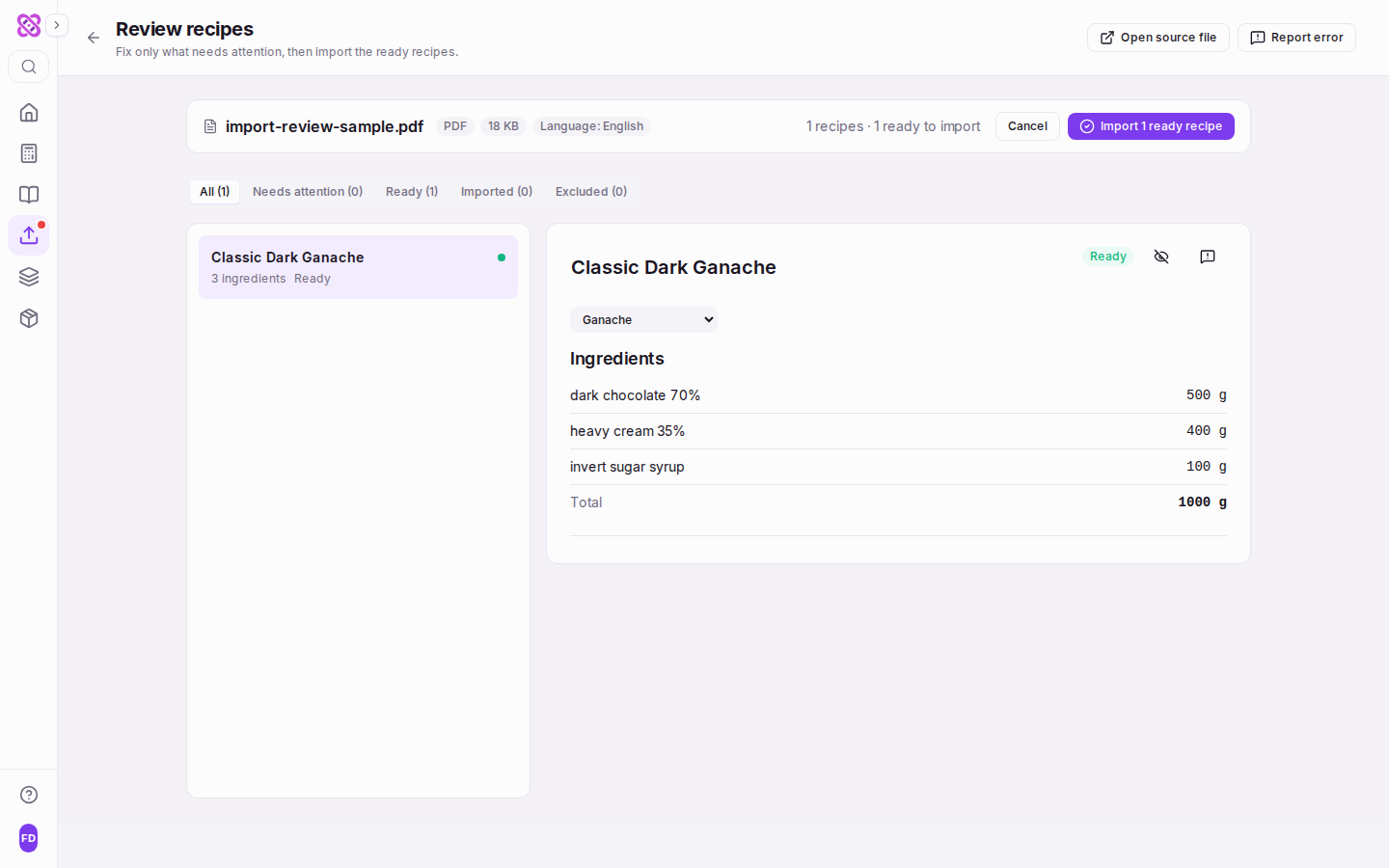
The preview is not a document you read once — it is a workbench you work in. Every planned import lands on a page headed “Review recipes”, subtitled “Fix only what needs attention, then import the ready recipes”, and the import page keeps it under “Recent imports” until you are finished with it. A migration started before service is still waiting after it.
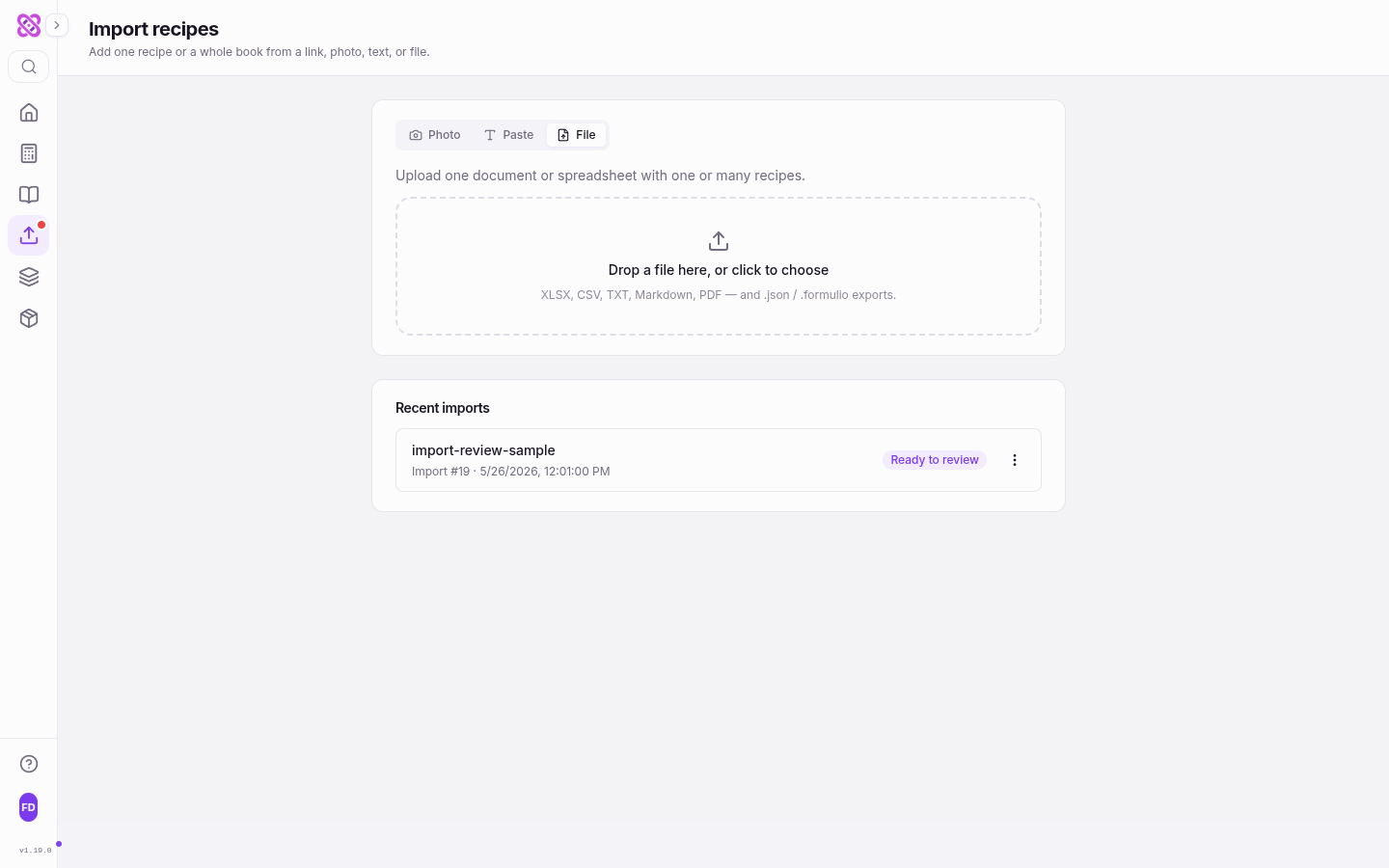
A status strip sorts the whole file for you before you read a single line: “All”, “Needs attention”, “Ready”, “Imported” and “Excluded”, each carrying its own count. “Needs attention” is the working queue — the recipes with an unresolved ingredient, an unconvertible quantity, or a section the reader could not classify. Selecting a recipe opens it beside the list: its ingredient lines with quantities and total weight, its calculator, and a status badge. Resolve the last issue on a recipe and the workbench moves you to the next one that still needs attention, so the queue empties without you hunting for the next card.
When one ambiguous name runs through several recipes, the page splits into two tabs: Decisions and Recipes. The Decisions queue is where a shared correction belongs, because it states its true scope — “Used in 7 recipes” — before you answer it. Answer once and every one of those recipes updates. The Recipes tab is for anything local to a single formula.
Matches the importer made on its own are labelled, not hidden. A line resolved automatically says so — “Matched automatically to …. Change it if that is not what the source meant.” — so a confident-but-wrong match is visible rather than buried among the lines you never inspected. When a decision is one you will face again, tick “Remember this match for future imports” and the next file resolves it without asking.
“Open source file” in the page header reopens the document you uploaded. Comparing a suspicious line against the row it came from is the fastest way to settle whether the file said 1.5 kg or 1,5 kg — and you should not have to go and find the file yourself.
Best of all, the review does not have to be finished in one sitting. The commit button imports only the ready recipes — “Import 12 ready recipes” — and says plainly what it is leaving behind: “4 recipes will stay here for later review”. Those four keep their place in the queue, the twelve are live formulations in your library, and you come back to the remainder when you have the supplier sheet in front of you.
Four Migration Scenarios
| Scenario | You bring | What happens |
|---|---|---|
| The Excel costing sheet | A workbook of a hundred rows accumulated over years | One upload and one pass over the flagged list — a library migration in an afternoon instead of a retyping project |
| Free-text recipe notes | Recipes pasted from a notes app or old messages | The AI structures names, quantities, and units itself — no reformatting into a template first |
| The quality-first review | A file you don't fully trust | The reconciliation report accounts for every line; anything unparseable is flagged with a reason, never dropped silently |
| The legacy library | Recipes that never had numbers attached | Every committed recipe gains computed water activity, shelf life, and nutrition the moment it lands |
The speed claim needs no magic. Extraction, matching, and enrichment are machine time; your time goes only where judgment is required — the flagged matches. For a typical costing sheet that is a handful of supplier-specific names, not a hundred forms.
Free-text import deserves its own mention because it clears the guilt pile: the recipes that never made it into any spreadsheet. Paste them as they are — quantities buried in sentences, ingredients in shorthand — and they go through the same extraction, matching, and preview as everything else.
After Import, Your Library Has Physics
A digitized recipe in a generic notes tool is still just text. A committed Formul.io recipe is a live formulation: the calculation engine computes water activity, shelf life, composition, and nutrition from real ingredient data, and the recipe can be analyzed, scored, and simulated like anything built in the app from scratch.
That changes what “archive” means. The ganache your predecessor left in row 47 can now be diagnosed — run the analysis, read its quality score, see why it never lasted the claimed three weeks — and rebalanced in simulation before anyone weighs a gram.
The payoff compounds across the platform: the same digitized library feeds costing, scaling, PDF data sheets, and the AI development workflow. One migration, every downstream feature.
AI Recipe Development: From Idea to Production-Ready Formula
What those computed metrics unlock: AI drafting, quality scores, and what-if simulation on every recipe in your library.
Plans and limits
AI import is available on every plan while the product’s sponsored allowance can fund another run. The same allowance backs the Import button, the app’s import page, and the reviewed import tools used by a connected AI assistant; there is no separate per-plan import counter or smaller Free-plan bulk cap. If funding is exhausted, the app shows when it resets and keeps manual recipe entry available. Restoring a file exported from Formul.io never uses AI funding: it is a deterministic round trip.
Questions Confectioners Ask
What can I import, and in what formats?
How are my supplier's ingredient names matched?
What happens when an ingredient isn't in the catalogue?
Can an import overwrite or duplicate my existing recipes?
Should I clean up my spreadsheet before importing?
Do imported recipes get water activity and shelf life automatically?
Related Topics
Related Articles

AI Recipe Development: From Idea to Production-Ready Formula
Turn a plain-language product brief into a validated formula — AI drafts the ingredients, the calculation engine verifies water activity, shelf life, and texture before you melt any chocolate.
Turn Claude or ChatGPT into Your Formulation Copilot
Your existing AI chat gets real recipe tools instead of copy-paste: search your library, save validated recipes, and simulate shelf-life impact — all connected with one link and an authorize click.
Managing Your Ingredient Database: Custom Ingredients and Your Own Prices
Learn how to manage the Formul.io ingredient database, add custom ingredients with composition data and allergen flags, make them easy to find, and keep your own purchase prices current for recipe costing.