Managing Your Ingredient Database: Custom Ingredients and Your Own Prices
Learn how to manage the Formul.io ingredient database, add custom ingredients with composition data and allergen flags, make them easy to find, and keep your own purchase prices current for recipe costing.
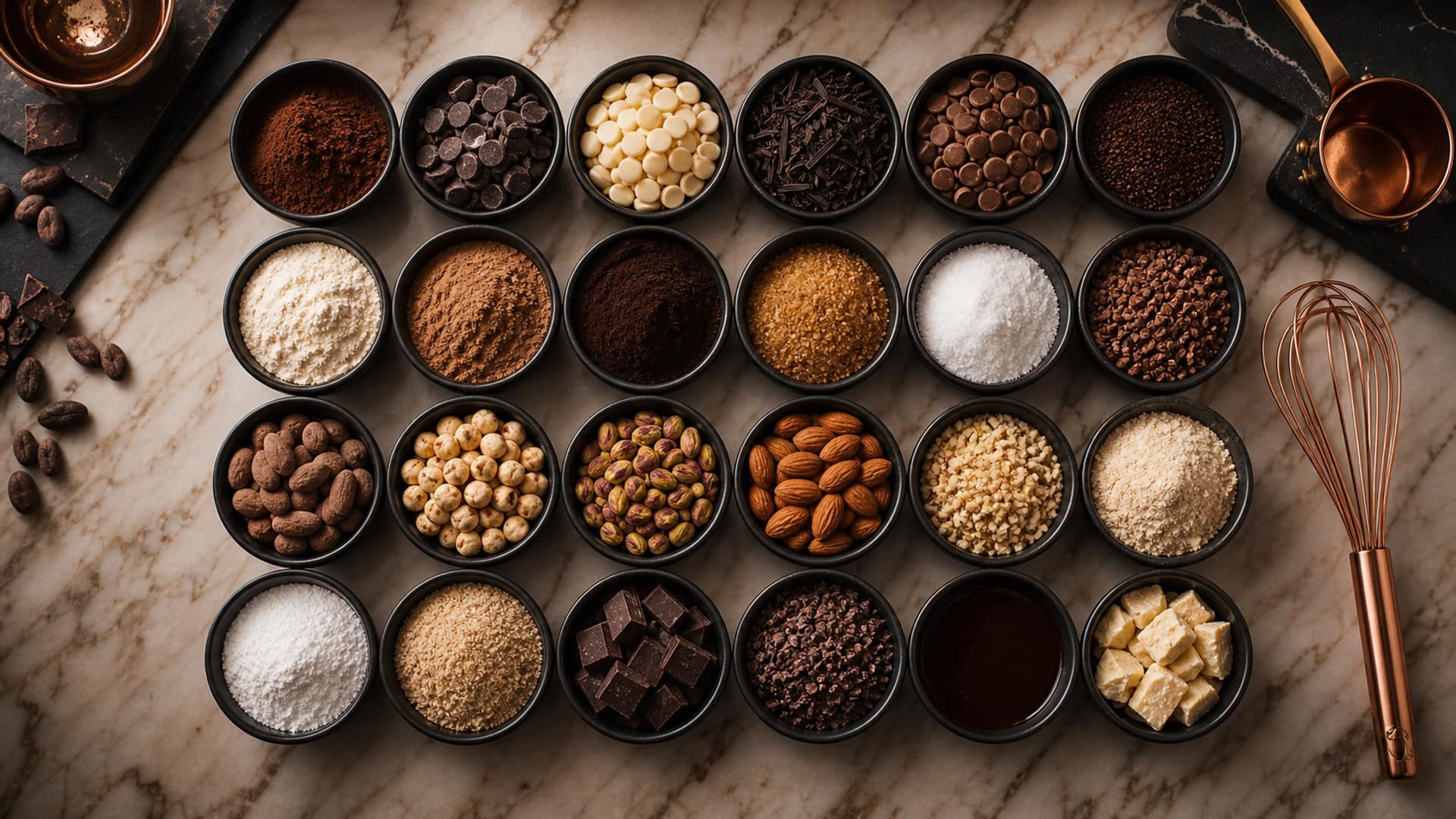
Why Your Ingredient Database Matters
In professional confectionery, every calculation is only as accurate as the ingredient data behind it. Water activity predictions, shelf life estimates, recipe costing, and allergen summaries all depend on one foundational layer: knowing exactly what is in each ingredient you use. An inaccurate fat percentage in your cream, a missing allergen flag on a compound chocolate, or a stale price on a couverture block will silently corrupt every formula that references it.
Formul.io ships with a curated database of standard confectionery ingredients — covering the sugars, fats, dairy products, chocolates, stabilizers, and hydrocolloids that appear in most professional kitchens. But no universal database can anticipate every branded ingredient, regional specialty, or in-house blend you work with. The custom ingredient system exists precisely to close that gap: to let you extend the shared database with the specific ingredients that define your production, and to make those ingredients searchable, reusable, and always up to date.
What the Default Database Includes
The Formul.io default ingredient library covers:
- Sugars: sucrose, glucose syrup (DE 28–65), dextrose, invert sugar, trehalose, isomalt, sorbitol, xylitol
- Dairy: fresh cream (35%), whipping cream (38%), butter, whole milk, skim milk, condensed milk, crème fraîche
- Chocolates: dark couverture (55%, 64%, 70%, 75%, 85%), milk couverture, white couverture, cocoa powder, cocoa butter
- Stabilizers and hydrocolloids: NH pectin, LM pectin, gelatin (180 and 220 bloom), agar, carrageenan, xanthan gum
- Fats and emulsifiers: sunflower oil, coconut oil, PGPR, lecithin
- Fruits: standard purees (passion fruit, raspberry, mango, strawberry, lemon) at typical Brix values
- Nuts: almond, hazelnut, pistachio, cashew (whole and paste forms)
Ingredients not in this list require a custom entry.
When You Need a Custom Ingredient
Even a comprehensive default database will miss ingredients that are specific to your operation. The most common situations that require a custom ingredient entry are set out below. Understanding which scenario applies to you determines which composition data you will need to gather before adding the ingredient.
| Scenario | Example | Data Source |
|---|---|---|
| Branded couverture not in the library | Valrhona Guanaja 70%, Cacao Barry Ocoa 70% | Supplier technical sheet or CoA |
| Local or regional supplier ingredient | Cream at 36% fat from your dairy cooperative | Supplier specification |
| In-house blend or compound | House praliné paste (60% hazelnut, 40% sugar) | Your own recipe or lab analysis |
| Specialty or rare ingredient | Yuzu juice at 8°Brix, black garlic powder | Lab analysis or ingredient supplier data |
| Allergen-specific alternative | Rice milk, oat cream, soy lecithin | Product label or supplier specification |
| Branded additive or stabilizer | Sosa Procrema 100, Texturas Metil | Supplier technical sheet |
| Seasonal produce at known composition | Fresh blackcurrant purée at 12°Brix | Refractometer + lab or published tables |
Common scenarios requiring custom ingredient entries
Check the Default Database First
Before adding a custom ingredient, search the default database thoroughly. A branded chocolate at 70% cacao will have very similar composition to the default ‘dark couverture 70%’ entry — close enough for most formulation work. Creating a custom entry for every SKU from your supplier adds maintenance overhead without meaningful accuracy gain. Add custom entries only when composition genuinely differs from available defaults, or when exact allergen data matters for labeling.
Adding a Custom Ingredient: Step by Step
Custom ingredients are added through the Ingredient Database section of Formul.io. Each custom ingredient is private to your account — it will not appear in other users’ searches. The following steps walk through the complete process of creating a well-documented custom ingredient that will serve you reliably across all your recipes.
Enter the primary name
Use the ingredient's most specific and official name as the primary entry: the name that appears on the supplier specification or product label. For a branded chocolate, use the full product name: 'Valrhona Guanaja 70%' rather than just 'dark chocolate'. For an in-house blend, use a consistent naming convention that includes the defining characteristic: 'House Hazelnut Praliné 60%'. Avoid abbreviations in the primary name — they make future searching harder.
Record the manufacturer
Put the brand in the manufacturer field rather than burying it in the name. Search covers name, brand, category and properties, so a recorded manufacturer is a second way into the same entry — and marking that brand as a favourite pushes everything you buy from it to the top of every ingredient list in the app.
Enter composition data
Fill in the four core composition fields: fat %, water %, sugar/carbohydrate %, and protein %. These must be taken from the ingredient's technical data sheet or nutrition facts panel — never estimated from general tables unless you have no other source. The four values should sum to approximately 100% when added to fiber, ash, and other components. If you have the full nutrition breakdown, enter all available fields. If you only have partial data, enter what you have and note the limitation.
Set the water activity (Aw) if known
If your ingredient supplier provides a measured water activity value, enter it directly. This measured Aw will be used in place of the system's estimate when calculating recipe Aw. If you do not have a measured value, leave this field blank — Formul.io will estimate Aw from the composition data using standard models. For liquid ingredients and high-water-content foods, this estimate is generally accurate to ±0.02 Aw units. For dry powders and crystalline sugars, the estimate may vary more widely.
Save what you pay for it
Price is not a composition field, so it is not part of this form. Open the saved ingredient and use its My price card: enter the pack size and the pack price you actually paid — the landed cost, not the list price — and Save my price. The price is private to your account and is reused by every recipe and product that contains the ingredient. Costing and margins are a Pro feature.
Flag applicable allergens
Select every allergen that applies to this ingredient from the EU 14 major allergen list. This is a critical step: the system uses your allergen flags to generate allergen summaries for every recipe containing the ingredient. Errors here propagate into mislabeled products. When in doubt, check both the product label and the supplier's allergen statement — some ingredients carry 'may contain' cross-contamination warnings that you may choose to flag as precautionary.
Save and verify
After saving, add the new ingredient to a test recipe and verify that the calculated Aw and the allergen summary look correct. Then search for it the way you would in a hurry — a partial name, the brand, the category — and confirm it comes back. If it does not, the primary name is doing too little work; rename it before the library grows.
Composition Data: Getting the Numbers Right
The composition fields — fat, water, sugar, and protein percentages — are the most technically demanding part of a custom ingredient entry. They directly determine water activity calculations, and therefore shelf life predictions. Getting them wrong means getting every recipe that uses the ingredient wrong.
Preferred Sources for Composition Data (in order of reliability)
- Supplier Certificate of Analysis (CoA): The most accurate source — reflects the actual batch composition.
- Supplier Technical Data Sheet: Standard values for the product; updated less frequently than CoA.
- Nutrition Facts label (EU Regulation 1169/2011 format): Legally required to be accurate; suitable for ingredient entry.
- Published food composition databases (USDA FoodData Central, Ciqual/Anses, UK Nutrient Databank): Use for generic commodity ingredients with no supplier-specific data.
- Estimation from recipe + lab results: For in-house blends you have made and either sent for analysis or can calculate exactly from known components.
Never use online recipe blogs, general food encyclopaedias, or unverified sources. The composition accuracy of your recipes depends on the accuracy of each ingredient entry.
For dark couverture chocolate, the key values are fat (typically 38–44% depending on the recipe — cocoa butter plus any added fats), water (typically 1–2% — chocolate is a low-water product), total carbohydrate (typically 45–55%, of which 30–45% is sugars), and protein (typically 5–8%). For cream, water content is the most variable and most important value: cream at 35% fat contains approximately 59–62% water; cream at 38% fat contains approximately 56–59% water. Even a 3% error in cream water content will shift the Aw calculation in a ganache by approximately 0.015 units — enough to affect shelf life predictions meaningfully.
| Ingredient Category | Fat % | Water % | Sugar % | Protein % | Notes |
|---|---|---|---|---|---|
| Dark couverture 70% | 40–43 | 1–2 | 26–30 | 6–8 | Cocoa butter + lecithin fat; sugar = sucrose only |
| Fresh cream 35% | 35 | 60–62 | 3–4 | 2–3 | Lactose counts as sugar for Aw purposes |
| Fresh cream 38% | 38 | 56–59 | 3–4 | 2–3 | Higher fat, proportionally less water |
| Nut paste (hazelnut) | 60–65 | 2–5 | 4–6 | 13–16 | Natural fat; minimal sugar unless sweetened |
| Fruit purée 10°Brix | 0–1 | 88–90 | 8–11 | 0–1 | Brix ≈ sugar %; verify with refractometer |
| Glucose syrup DE 40 | 0 | 18–22 | ~78 | 0 | Dry matter ~80%; water content matters for Aw |
| Invert sugar syrup 75°Brix | 0 | 22–25 | 73–76 | 0 | Fructose + glucose 1:1; hygroscopic |
| Whole egg (liquid) | 10–11 | 73–75 | 0–1 | 13 | Note: eggs are a major allergen |
| Almond flour (blanched) | 50–55 | 5–7 | 4–6 | 22–25 | Tree nut allergen; gluten-free if dedicated facility |
Reference composition for common custom ingredient categories (use supplier data in preference to these values)
Composition Values Must Account for 100%
Fat + Water + Carbohydrate + Protein + Fiber + Ash should sum to approximately 100%. If your four core values (fat, water, sugar, protein) total only 85%, the remaining 15% is fiber, ash, and other components. This matters for Aw calculation: water percentage is used directly in the free water estimate. If the nutrition panel shows total carbohydrates at 55% but sugar at only 30%, the non-sugar carbohydrates (starch, fiber) do not bind water the same way sugar does. Enter the sugar figure (30%) in the sugar field, not total carbohydrates.
Making Your Ingredients Easy to Find
The Formul.io ingredient search is forgiving: it tolerates typos and transpositions, matches partial names, and searches the brand, the category and the recorded properties as well as the name itself. On the shared catalogue it also knows a good deal of trade vocabulary, because alternative names are curated centrally and maintained by Formul.io. What it cannot invent is a name you never entered — and on your own custom ingredients, the primary name and the manufacturer are the whole of what you gave it. Name them as the supplier does, record the brand, and the search does the rest.
The stronger lever is preference. Give an ingredient a heart and it becomes a Favorite ingredient; mark a brand under the Brands tab of the ingredients library and it becomes a Favorite brand — “Choose the brands you use. Suitable products from these brands appear first across the app and in AI suggestions.” Both outrank relevance. A hearted ingredient sorts above a suitable product from a favourite brand, which sorts above everything else, and that order applies wherever ingredients are listed: search, the recipe editor’s picker, and what a connected AI assistant is offered.
Favourites Are the Team's Shortlist
In a multi-user kitchen, favourites do the job people expect of a house vocabulary. Heart the fifteen or twenty items you actually buy, mark the three or four brands you order from, and every search starts from the shelf you really have instead of the whole global catalogue. It also suppresses the commonest source of duplicates: someone creating a second entry for a couverture you already carry, because the one you carry was six results down.
| Primary Name | Manufacturer | What Reaches It |
|---|---|---|
| Guanaja 70% | Valrhona | 'guanaja', 'guanja' (typo), 'valrhona', 'dark chocolate' as a category |
| Ocoa 70% | Cacao Barry | 'ocoa', 'cacao barry', the category, and any Cacao Barry product once that brand is a favourite |
| Cream 35% | Isigny Sainte-Mère | 'isigny', 'cream 35', 'crea 35' (typo), the dairy category |
| House Hazelnut Praliné 60% | — (in-house) | 'praline', 'hazelnut', 'house'. With no brand to search, the name carries all of it — heart it |
| Procrema 100 | Sosa | 'procrema', 'sosa', the stabiliser category |
| Passion Fruit Purée 10°Brix | Ravifruit | 'passion', 'ravifruit', 'puree', the purée category |
A specific name plus a recorded manufacturer covers most realistic search paths
My Prices: What You Pay, Kept Separately
Price is not a property of an ingredient the way fat content is. Composition is the same for everyone holding the same block of couverture; the price is yours alone, and it changes every time you reorder. Formul.io keeps the two apart. Composition lives on the ingredient; what you pay lives under My prices, private to your account — never shared when you share or clone a recipe, and never visible to anyone else. Costing and margins are part of the Pro plan.
There are three ways in, and they write to the same place. On an ingredient’s page, the My price card takes the price without touching composition — “Only you can see this price. It is used in your recipes and products.” Inside a recipe’s costing, any ingredient row missing a price opens the same editor in place, so you are never sent away mid-calculation. And the library page at My prices holds them all together, with search, an Add price button and an Import path for a supplier price list.
You enter a purchase, not a rate: the pack size and the pack price as they appear on the invoice — a 3 kg block at €54.00, a 10 kg bag at its real cost — and Formul.io derives the per-kilogram figure. Optional details cover the rest of the landed cost honestly: the purchase date (today by default), an optional source, the purchase tax rate with a note of whether it is included in what you typed and whether you can recover it, and a preparation yield for anything that loses weight before it ever reaches a recipe. The result is a cost per usable kilogram rather than a sticker price.
When to Update Prices
Cocoa product prices can move 20–40% in a quarter during volatile periods (as seen in 2023–2024 when cocoa futures rose sharply). Dairy prices follow seasonal patterns, typically peaking in late summer. Update a price when the invoice arrives rather than on a schedule: saving a new one appends an observation instead of overwriting, so each ingredient accumulates a price history — a list of changes with the increase or decrease against the previous entry, and a trend chart of what you have actually paid per kilogram over time. That record is what tells you whether a margin fell because you priced badly or because cocoa moved.
Work from the invoice, not the price list
Open My prices and search for the ingredient, or open the ingredient and use its My price card. Enter the pack size and pack price from the most recent invoice. For a standing contract, check that the contract price still matches what you were actually charged, surcharges included.
Import a whole price list at once
When a supplier sends a full list, use Import rather than typing it in. Rows that match an ingredient and carry a complete price are marked ready; the rest are listed as exceptions for you to resolve or skip. Nothing is applied to your account until you say so.
Let the recipes catch up by themselves
There is no per-recipe update step. A saved price is reused by every recipe and product containing that ingredient, so the next time you open a costing it already reflects the new number. Saved copies of past calculations keep their original prices on purpose.
Read the history before you re-price
Open an ingredient's price history before changing a selling price. A single spike behaves differently from a sustained rise, and the trend chart separates the two far faster than scrolling through invoices.
Ingredients That Are Really Recipes
A praliné or a pâte à bombe you make in-house and then use as an ingredient does not get a purchase price. Formul.io says so directly on the card — “This ingredient is made from one of your recipes. Its cost comes from that recipe” — and links straight to that recipe’s costing. Price the components once and the derived ingredient costs itself.
Managing Allergen Data: Accuracy Is Non-Negotiable
Allergen flags on custom ingredients have direct consequences for food safety and legal compliance. When you add a custom ingredient to a recipe, Formul.io aggregates all flagged allergens across every ingredient in that recipe and displays the complete allergen summary. This summary is only as accurate as the flags on each ingredient. Missing an allergen flag on a custom ingredient means the allergen will not appear in your recipe summary — and may not appear on your product label.
EU Regulation 1169/2011 on the provision of food information to consumers requires clear declaration of 14 major allergens whenever they are present in a food product, whether as a deliberate ingredient or as a processing aid. These 14 allergens must be flagged in your ingredient database with the same care you would apply to a food label. There is no distinction between a major ingredient and a trace: even lecithin from soy (a processing aid in some chocolates) must be declared if it derives from a listed allergen.
| Allergen | Common Confectionery Sources | Often Overlooked In |
|---|---|---|
| Gluten-containing cereals | Wheat flour, barley malt, some glucose syrups | Glucose syrup from wheat starch; malt extract flavorings |
| Crustaceans | Rarely in confectionery | Savory chocolate inclusions with shellfish extracts |
| Eggs | Whole egg, egg yolk, egg white, albumin | Meringue, marshmallow, some nougats, glazes |
| Fish | Rarely in confectionery | Umami/savory inclusions; some omega-3 enriched products |
| Peanuts | Peanut butter, peanut paste, peanut oil | Shared equipment cross-contamination; blended nut oils |
| Soybeans | Soy lecithin (in many chocolates), soy milk, tofu | Lecithin listed as 'emulsifier' without allergen declaration |
| Milk | Cream, butter, milk powder, lactose, whey, casein | Lactose in tablets; whey protein in some stabilizers; butter fat |
| Tree nuts | Hazelnut, almond, cashew, pistachio, walnut, pecan, Brazil nut, macadamia | Nut oils; almond flour; praline pastes; gianduja |
| Celery | Celery seed extract, celery salt | Savory spice blends used in caramel or chocolate |
| Mustard | Mustard seed, mustard powder, mustard flour | Spice blends; some savory chocolate products |
| Sesame | Tahini, sesame oil, sesame seeds | Halva inclusions; sesame-infused ganaches |
| Sulphur dioxide / sulphites (≥10 ppm) | Dried fruits (apricots, raisins), wine-based fillings | Dried fruit inclusions; alcohol-based ganache fillings |
| Lupin | Lupin flour, lupin protein | Gluten-free product substitutions; some confectionery coatings |
| Molluscs | Rarely in confectionery | Savory inclusions; artisan chocolate with unusual pairings |
The 14 major allergens under EU Regulation 1169/2011 — must be declared in ingredient lists and allergen summaries
Cross-Contamination Allergens: A Separate Decision
The 14 allergen flags in Formul.io represent allergens that are intentionally present as ingredients or processing aids. Cross-contamination allergens (‘may contain traces of…’) are a separate risk-management decision based on your facility’s equipment, cleaning procedures, and production scheduling. The ingredient database allergen flags should reflect the ingredient’s own composition — not facility-level cross-contamination risks. Document your cross-contamination risk assessment separately and incorporate the relevant ‘may contain’ statements into your product label independently of the database allergen summary.
Editing and Updating Existing Custom Ingredients
Custom ingredient entries are not static. Suppliers reformulate products, change fat sources, adjust stabilizer blends, or modify production processes in ways that alter composition. When a supplier changes the recipe for a product you use, you need to update your ingredient entry — and understand what that change means for every recipe that includes it.
The most common triggers for editing a custom ingredient are: a reformulation that changes the composition (requiring updated fat, water, or sugar percentages), a change in allergen status (a supplier adds or removes an allergen through a reformulation or sourcing change), or a correction to data you entered incorrectly at creation. All of these are routine — maintaining ingredient accuracy is an ongoing responsibility, not a one-time task.
Composition Changes Affect All Dependent Recipes
When you update the fat or water percentage of a custom ingredient, every recipe in your account that includes that ingredient will have its Aw and shelf life recalculated using the new values on the next calculation. This is by design — it keeps your recipe predictions accurate. However, if you have produced and shelf-life-tested a recipe based on the old composition, the updated predictions may differ from your empirical results. Always re-verify Aw and shelf life predictions against lab measurement when a key ingredient’s composition changes significantly.
Naming Conventions for Teams
In a team environment, ingredient naming discipline prevents a recurring problem: multiple custom entries for the same physical ingredient, each with slightly different composition data or allergen flags. When Alice adds ‘Valrhona Guanaja 70%’ and Bob later adds ‘Guanaja 70 Valrhona’, both will appear in search results and different team members’ recipes will reference different entries — leading to divergent costs, because each entry carries its own saved price, and inconsistent allergen summaries.
Establish and document a naming convention for your kitchen before you build a significant ingredient library. Agree on a format and apply it consistently. The specific format matters less than the consistency: the goal is that any team member searching for an ingredient will find the same canonical entry, regardless of how they phrase the search.
Recommended Naming Convention
A practical convention for artisan confectionery kitchens:
Format: [Brand] [Product Name] [Key Specification]
Examples:
Valrhona Guanaja 70%(not ‘dark choc 70’)Isigny Cream 35%(not ‘cream Isigny’)House Hazelnut Praliné 60%(for in-house blends, prefix with ‘House’)Ravifruit Passion Fruit Purée 10°Brix(include Brix for purées)
Rules:
- Always use % for concentrations
- Use °Brix for purées and syrups
- Prefix in-house blends with ‘House’
- Use one language for primary names across the library, and record the brand in the manufacturer field
- Never abbreviate the primary name
Best Practices: Custom Ingredient vs. Standard Equivalent
Adding a custom ingredient for every branded product you use is not always the right decision. The standard database exists to reduce that maintenance burden. Before creating a custom entry, evaluate whether the standard equivalent is accurate enough for your purpose.
| Use Custom Ingredient When... | Use Standard Equivalent When... |
|---|---|
| Composition differs materially from any standard entry (>3% difference in a key field) | Composition is within 2–3% of a standard entry for the fields that matter |
| You need exact allergen accuracy for labeling (e.g., specific lecithin source) | The allergen profile is identical to the standard entry |
| The supplier's declared composition differs from the generic figures you would otherwise inherit | The generic composition is close enough for the metrics you rely on |
| The ingredient is used in many recipes and you need consistent identification | The ingredient is used rarely and only in one or two experimental recipes |
| The ingredient is an in-house blend with a unique composition | The ingredient is a commodity from any supplier (sucrose, unsalted butter, etc.) |
| It is an item your kitchen carries constantly and everyone must reference identically | It appears once, and a favourite on the closest standard entry solves the same problem |
Decision guide: custom ingredient vs. using the closest standard equivalent
Audit Your Custom Ingredient Library Periodically
Over time, custom ingredient libraries accumulate duplicates, outdated entries, and ingredients no longer in use. Schedule a quarterly audit: check for duplicate names, scan My prices for entries whose last purchase date has gone stale, confirm that composition data still matches supplier specifications, and remove ingredients not used in any active recipe. A clean, accurate library is more useful than a comprehensive but unreliable one.
Quick Reference: Custom Ingredient Checklist
- Search the default database first — add a custom entry only if no close equivalent exists
- Use the official product name as the primary name, following your team’s naming convention
- Record the manufacturer, and mark the brand as a favourite if you buy from it regularly
- Enter composition data from the supplier CoA or technical data sheet — not from general tables
- Verify that fat + water + carbohydrate + protein + fiber + ash ≈ 100%
- Enter water activity if you have a measured value; leave blank if estimating from composition
- Save what you pay under My price — pack size and pack price from the invoice, not the list price
- Flag every applicable EU allergen — cross-reference the product label and supplier allergen statement
- Save and test by adding to a recipe — verify that Aw and the allergen summary are correct
- Heart the ingredient if it is one you use constantly, so it leads every list you search
Frequently Asked Questions
Can I add my own alternative names to an ingredient?
What if I do not have the water content for a custom ingredient?
Can I share custom ingredients with other users or team members?
How does the ingredient search decide what to show first?
Should I flag 'may contain' cross-contamination allergens in the ingredient database?
What is the best way to enter a composition for an in-house blend?
How often should I review and update my custom ingredient library?
Related Topics
Related Articles
Ingredient Substitution in Confectionery: Match Function, Preview the Recipe
Match water, fat, sugar and emulsion function before you swap an ingredient, then preview what the change does to water activity and shelf life before you commit.
How to Cost a Confectionery Recipe: Price per Gram to Food Cost %
Cost a confectionery recipe by hand: price per gram, yield loss, cost per piece, food cost percentage, markup versus margin and break-even, worked through on a batch of dark ganache truffles.

Lot Numbers and Traceability for Small Confectionery Producers
Set up lot numbers and one-step-back, one-step-forward traceability for a small confectionery kitchen: what counts as a lot, what each batch record needs, how to mark the pack under EU rules, and how to rehearse a recall.